
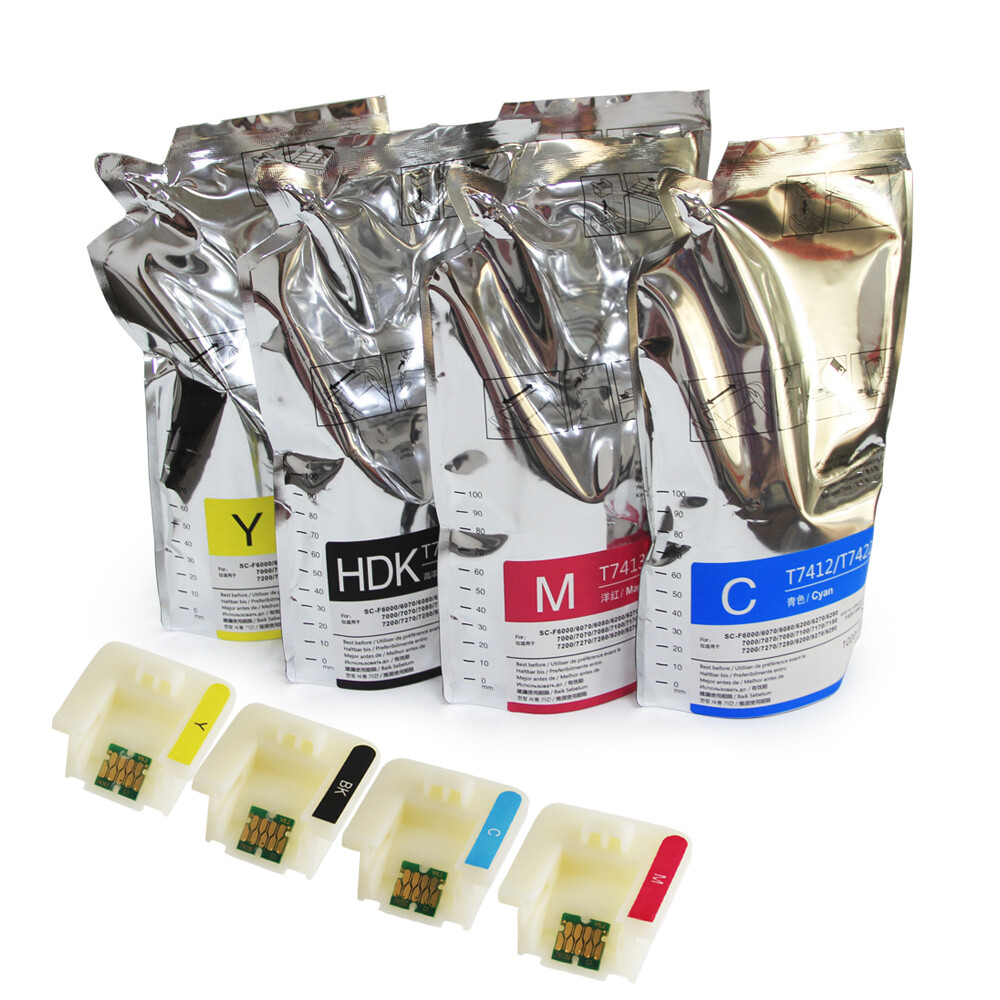

4 Packs Sublimation Ink For Epson SC F6000 F6070 F6200 F6270 F7000 F7200 F7270
Specifications
| Return Shipping Will Be Paid By | Buyer |
| All Returns Accepted | Returns Accepted |
| Item Must Be Returned Within | 30 Days |
| MPN | SUB001 |
| Country/Region Of Manufacture | China |
| Brand | HQHQ |
Hello!! Dear friends:Welcome to my ebay store , browse and buy our products , we have many kinds of inkjet medias for you to choose We offer high quality products and service with reasonable price .Hope to do great business with each customers from theworldwide.We wish to grow up with your satisfaction and happiness. Product Name : Dye-Sublimation Ink Pack / Sublimation Ink Pack / Ink Packs OEM Part Number : T741200 / T741300 / T741400 / T741X00 Chip Number : Cyan - T7412 Magenta - T7413 Yellow - T7414 High Density Black - T741X Color (5 Colors) : C / M / Y / HDK Ink Capacity : 1000 ml/pack Suitable Printers : For Epson SureColor F6000 / F6070 For Epson SureColor F6200 / F6270 For Epson SureColor F7000 / F7070 For Epson SureColor F7100 / F7170 For Epson SureColor F7200 / F7270 For Epson SureColor F9200 / F9270 Chip Type : The ink pack send with the new upgrade stable cartridge chip (One pack of ink pack will send with one piece of chip) Product Feature : The ink pack quality is as good as the original,bright in colour,do not damage printer Warranty : 1:1 Replace Any Defective What's in Package : Cyan - T7412-1000ML + CHIP Magenta - T7413-1000ML+CHIP Yellow - T7414-1000ML + CHIP High Density Black - T741X-1000ML+CHIP Note : If you have any questions , please feel free contact us , we are 24 hours a day online. HOW TO USE Replacing Ink Tank ChipIf the message Chip unit expended is displayed on the control panel, this means that the chip needs to be replaced soon.You will be unable to print if the chip unit for even one color needs to be replaced. Please follow these steps: 1.Open the ink tank cover. Insert a finger into the groove on the top of the slider and pull straight outward. 2.Remove the chip unit from the slider.Important: Do not tilt the slider. If the chip unit is dropped it may break. 3.Use a knife carefully to remove the old chip on the chip unit. Affix double-sided tape on the back of new chip,then stick it to chip unit. 4.Attach the chip unit (chip has been replaced) to the slider. Hold the slider level horizontally and insert it. 5.Close the ink tank cover.Done. Refill Ink to Ink TankNote the following points when refilling ink:a.Gently cut or tear off the ink pack spout opening. b.If you cut the ink pack spout too quickly, ink may splatter. c.Do not squeeze open ink packs. Ink may spill. 1.Open the slider ink inlet cover,and remove the ink inlet cap from the ink tank. 2.Cut or tear off the ink pack spout seal. 3.Fill the ink tank with the ink from ink pack.Insert the spout of the ink pack into the groove and slowly tilt it to pour out the ink. 4.Put the ink inlet cap back on the ink tank,and close the slider ink inlet cover. CUSTOMER SATISFACTIONPlease don't hesitate to contact us if you have any questions or concerns before or after your purchase. We are committed to your 100% satisfaction.Shipping :we have many kinds of shipping lines , normal is By DHL ,It is Standard mode of transportation. So, you will get it very soon.FEEDBACK:Since your feedback is very important to our business`s development, we sincerely invite you to leave positive feedback for us if you are satisfied with our product and service. It`ll just take you 1 minute. Thank you!
Related Items